The final major update for WordPress this year is here, and it includes many improvements that make it easier, faster, and more collaborative to manage your website. I have been watching the development of WordPress 6.9 for months, and now that it is live, I am excited to share what is new.
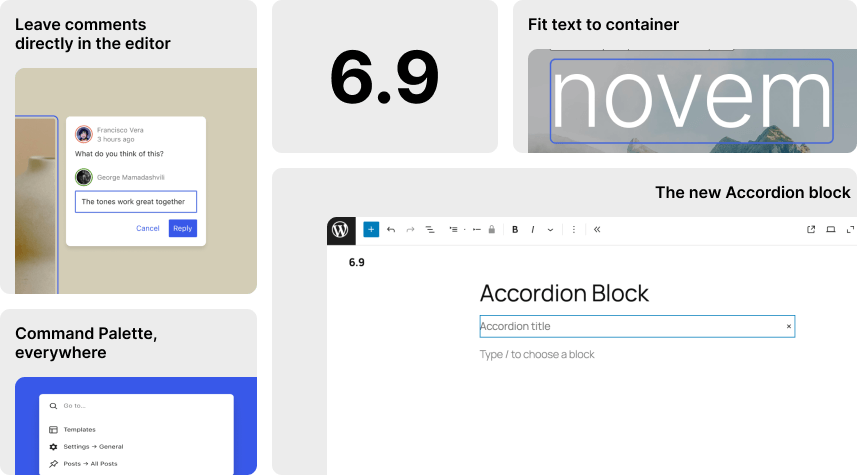
Before you update, don’t forget to run a backup of your site!
Before doing any major updates to the WordPress core, make sure you backup your website. We recommend making a complete backup that includes your WordPress database, WordPress files, themes, plugins, media library, etc., before proceeding with the update.
As a client of Good Websites, you don’t have to worry about these things. We manage all upgrades and backups for you as part of the WordPress Maintenance plan.
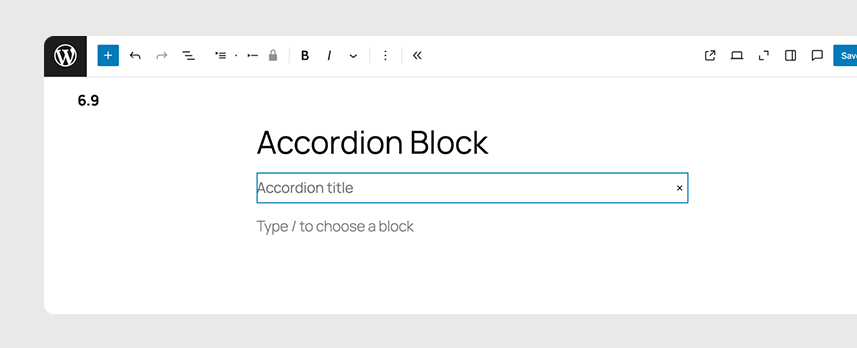
The new Accordion block (finally!)
The new Accordion block is finally here! You can now add expandable sections, which are great for FAQs or for hiding long pieces of text behind a click. Just add the Accordion block and start organising your content.
Other new blocks include:
- Term query (for showing specific content)
- Time to read
- Math
- Comment count
- Comment link
Improvements to existing blocks
There are too many little updates to list in full, but here are some highlights:
- You can now choose the HTML tag for buttons and separators
- You can add custom icons for social links
- The menu sorting in the Query Loop is better
- You can add poster images for Cover blocks
- There are new options for ‘Stretchy’ Headings and Paragraphs
These updates give you more control and make the editor easier to use.
A smoother drag-and-drop experience
If you’ve ever tried moving blocks around and felt frustrated by the small handles you had to click, this fix is for you. Now, you can easily grab and drag blocks, making the editor feel more like a real visual page builder. It’s faster, easier, and more user-friendly.
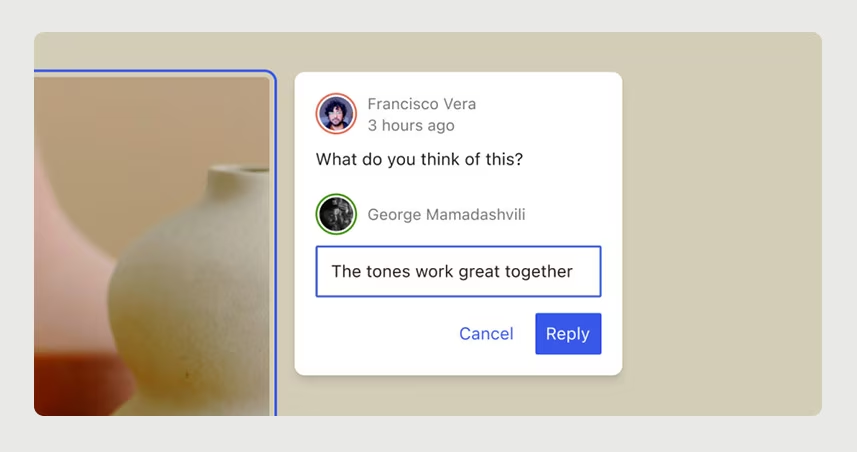
Leave comments directly in the editor with Notes
This feature is important for team members. WordPress 6.9 introduces a feature called Notes. It lets you add comments to specific blocks, similar to comments in Google Docs. You can review text, adjust design, and give feedback right in the editor without needing to use Slack or email. You can tag people, reply to comments, and mark items as resolved. Your visitors will not see these notes; they are for you and your team only.
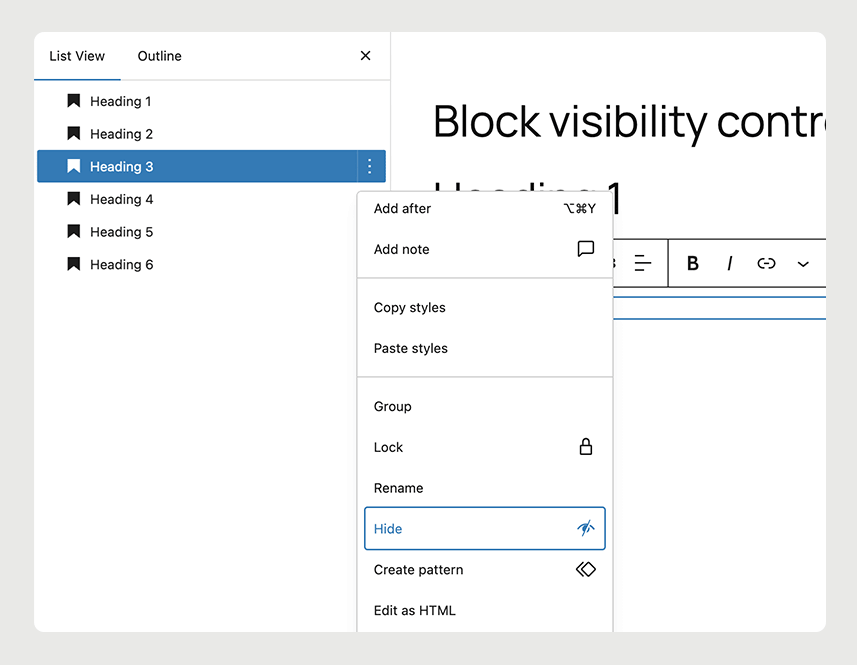
Hide blocks from the frontend (without deleting them)
Sometimes you want to prep a section of a page without making it live just yet. In the past, this required a plugin. Now WordPress 6.9 lets you do it natively. There is a new option called ‘Hide on frontend’ in the block menu. Click the three dots on any block and choose ‘Hide’. The block will disappear from the live website but will remain in your editor for later use. This feature is perfect for seasonal content or drafts that you are not ready to publish.
Command Palette, everywhere
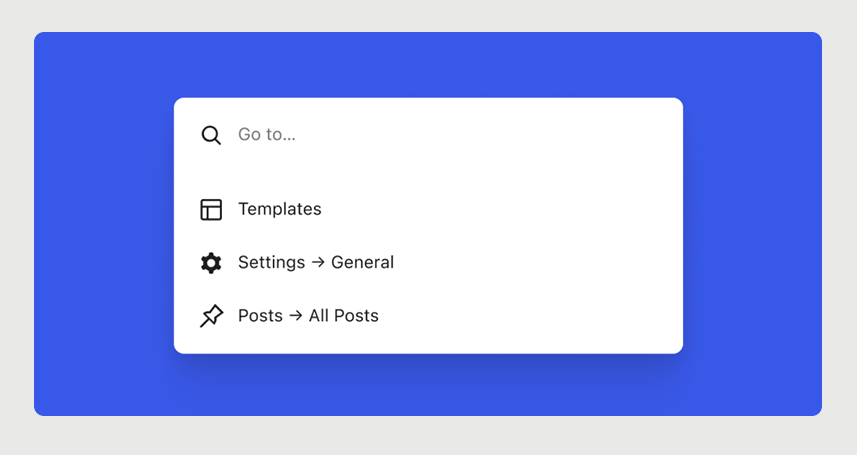
The Command Palette is a power-user tool that just got a big upgrade. Now, when you press Ctrl+K or Cmd+K, it works across your entire dashboard, not just in the Site Editor. You can quickly access settings, plugins, templates, and more. If you enjoy using shortcuts, you’ll find this feature very helpful.
Fit text to container
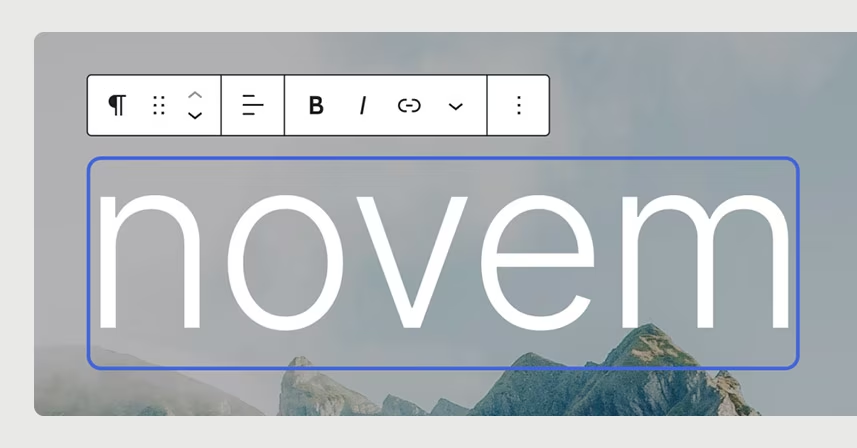
There’s a clever new typography option for Headings and Paragraphs that automatically resizes your text to fit the space. It’s great for banners or any area where you want a bold message to really pop.
The Abilities API: big news for developers
If you build custom features or connect WordPress to AI tools, the new Abilities API is a big deal. It establishes a standard for registering and managing what your website can do, laying the foundation for smarter, automated workflows in the future.
Accessibility Improvements
More than 30 accessibility fixes sharpen the WordPress experience. These updates improve screen reader announcements, hide unnecessary CSS-generated content from assistive technologies, fix cursor placement issues, and ensure typing focus stays put even when users click an autocomplete suggestion.
Performance and accessibility improvements
Every major release brings speed boosts, and 6.9 is no different:
- Styles now load only for the blocks you’re actually using
- Scripts that used to slow down rendering (like emojis) have been moved to the footer
- Cron jobs now run after the page loads, not during
There are also 30+ accessibility fixes, making the editor smoother to use for everyone.